

Interview with Noppers: Part 2
From the new Across Realities Series, Starting with Avatars...

ArmaniXR: For part two of this interview, I have the opportunity to join avatar creator Noppers in VRChat. Here I learn about the many details and time he spends on mechanics of avatars to enhance how people inhabit them.
Feel free to also watch the video below to hear more about Noppers. If you view this from your email, feel free to read on Substack to avoid email truncations.
Trackers, Routine, and Self-Care
Armani: For your routine, how long does it take to put on all your trackers and get into VR? How much time do you have to put aside before you want to jump in?
Noppers: For a full set of trackers, I have to be a little bit more strategic because I typically don’t have my trackers secured to some of the straps. My elbow strap is losing its velcro, so it’s a little annoying to make sure they’re fixed tightly. The other part is with all the drifts happening, occasionally I have to disable some of the trackers to make sure the tracking is stable. I think those are most of the stuff I have to account for when putting on 11-point. The other part is occasionally I’ll put on the full suite, mainly because dancing in full body tracking is really nice. You get to see more of my new movements, little chest motions. Right now I have... (checking trackers) Oh, did I have a chest tracker on? Apparently it’s off. You end up with more trackers on, your motion is more accurate and it’s more interesting. You get to do more. And it’s quite different from three-point tracking. It feels better with more. But only if it works perfectly. When it doesn’t work perfectly, why have them? I’ve heard, for people who are conversationalists, they enjoy having a chest tracker or more accurate torso movement because they’re having a conversation. They may shift their body around a little, look around or more stable chest. So it’s something that appeals to people who are having conversation or one-on-one discussions with people. Maybe that’s something you can try at some point. See if that improves your own experience.
Armani: As a dancer, do you use any extra materials or products like athletic tape, or routines to maintain your physical health in-game?
Noppers: I dance on a carpet floor. I don’t wear shoes. I wear socks when I dance. The reason why I wear socks is to reduce friction burn and to decrease friction. So I can slide around a little bit better. Right now, I have a two-inch gymnastic... or three two-inch gymnastic mats in a two-by-two square. Two by two meters. This lets me practice handstands a little bit safer, do different activities a little bit safer. I can move around. I know where I am based on if I’m on the cushion or not. That’s quite important, knowing where you are at all times. When I put on knee trackers, I’ll need a knee pad so I don’t have to secure the straps as tightly so I don’t cut off circulation. When I was dancing a lot more on carpet, friction burn was a concern. Make sure you use lotion so you don’t dry out. That’s the basics. The other is sweat. If you sweat a lot, you may need an additional gasket cover. You may need a cloth to wipe your face, wipe away the sweat so you’re not damaging your headset or wearing sweaty gasket all the time. You might need to have a hot-swappable system.
Beginner Full-Body Tracking
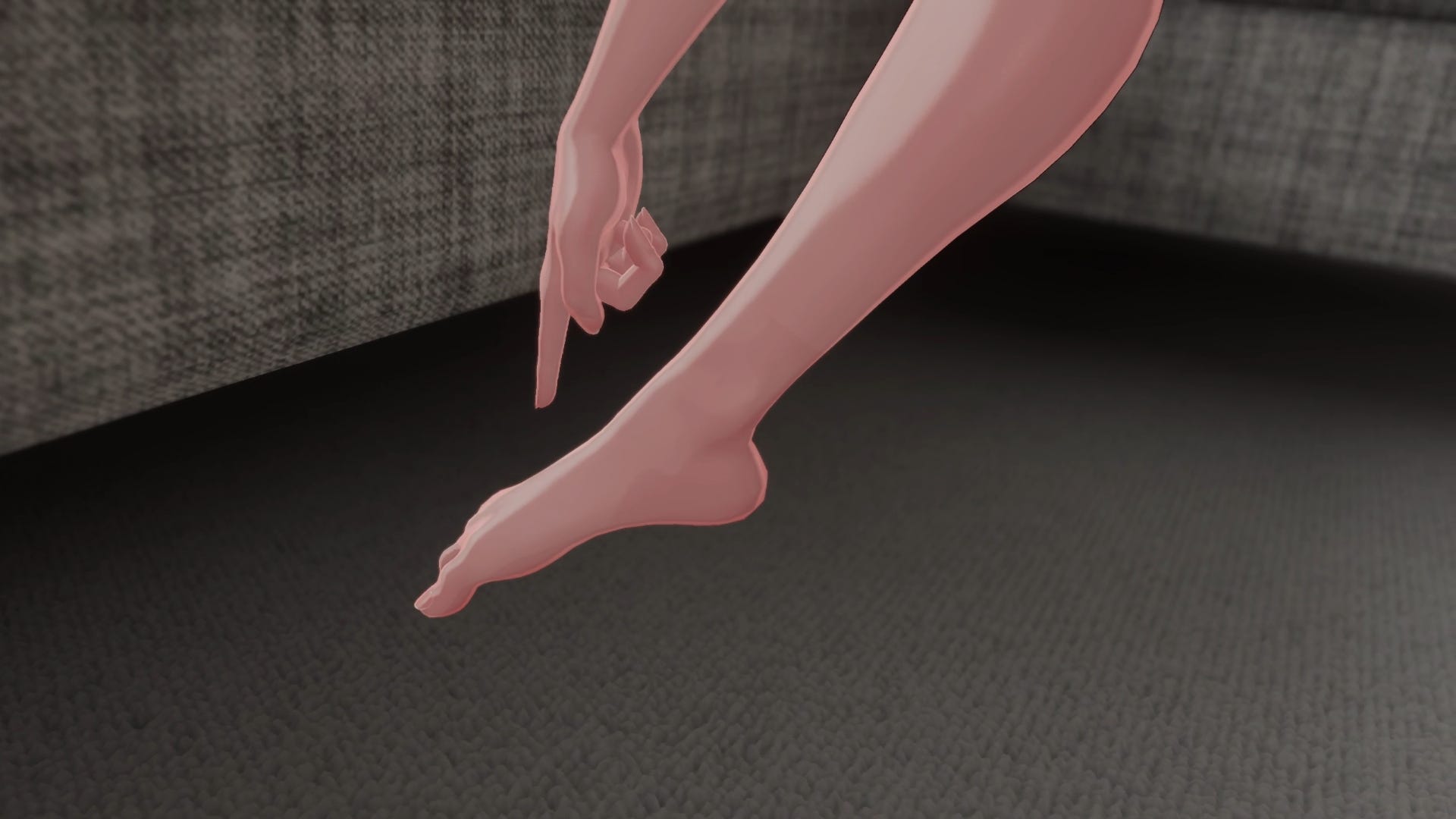
Armani: For a beginner with three trackers, the default would be a hip tracker and two foot trackers. What is the best place for foot trackers? Is it the ankles or directly on the foot, or does that vary depending on the purpose?
Noppers: If you’re on the ground a lot, having your trackers on the ankle can provide stability. Because your foot is not rotating and bending, your ankle is pretty stable. So you’re not worried about random movements. Putting it on your ankle can work. But for most people, putting it on your foot is probably better. Now you can do tiptoes. You can move your foot around and the basic flat foot things that you might do on VR.
Armani: How much of figuring out tracker placement and the trade-offs comes from experience? How does a newcomer find what works for their avatar, since correct can vary sometimes?
Noppers: When I started off, it was pretty basic. So my hip tracker is on the front of my hip or essentially waist. My foot tracker is on the top of my foot. I can move them around. It’s pretty typical, but for people dancing, it can be different. For a lot of dancers, because of occlusion, they put their trackers on the side or the back for additional hip sway as well as to avoid occlusion. For the foot area, if they’re wearing heels, they don’t want foot movements because heels could look broken when they overextend or move around. Or if they’re doing groundwork, so they’re doing ground-based dancing, then they may move trackers to their ankle. It’s for when they’re trying to avoid any movement when they’re doing their poses.
Armani: Can the VRChat software handle all the different tracker placements, or from your experience, how does it handle alternations and tracker placements for different activities like yoga or dance?
Noppers: I don’t think VRChat or trackers can handle yoga really well, especially with Lighthouse tracking. Let’s say you do a contortion, right? Even when I do exercise or stretching, that alone will occlude my trackers a lot. I use Lighthouse base, so line of sight is very important. I have my tracker on my hip over here. If I try to turn to the side and occlude my hip, my hip is going to fly off.
So there’s always some sort of position where your tracker has issue. I think IMU-based trackers or the new Fluxpose tracker might avoid occlusion issues. Right now the limitation is there. Hopefully it won’t be in the future.
IK, Calibration, and Locking
Armani: For newcomers, can you explain what IK (inverse kinematics) means, what that is for avatars, and how that helps for tracking?
Noppers: By default, with a headset, the game knows where your head position is and knows where your controller positions are. If you have trackers, it will know where your tracker positions are, but they need to understand what’s happening in between everything. So let’s say I have a hip tracker and it knows where my head is, but it needs to figure out my neck, my chest, my spine, everything in between. Similar case for my shoulder, right? My shoulder, they know where the controllers are. They have to figure out where my shoulder is. In this case, I’m wearing elbow trackers, but without it, it needs to figure out where my elbows are as well. So that’s where IK comes in.
Armani: What calibration process and settings do you recommend for full body tracking beginners just getting started out? And how does that help their IK?
Noppers: I recommend giving VRChat’s height-based tracking a try. You get to use your IRL height. You don’t have to worry too much about any specific hacks. You do the default setting. If the avatar tracks well for you, then great. There are additional tools that you can do, but a lot of them involve per-avatar adjustments. I think it’s probably easier that you look around, find an avatar that tracks well for you and appeals to you, and then try to stick with default settings so things are consistent. You don’t have to think too much about what works and what doesn’t work. And ultimately, if you don’t notice any issue, that’s even better. Tracking is only an issue if it’s an issue to you. So do whatever makes you happy.
Armani: I’m remembering our conversation earlier about locking, which I thought was fairly new to me. I didn’t even notice that setting. Can you explain what locking is for VRChat avatar tracking? Can you explain which ones you personally use and why?
Noppers: There are a few options. You can lock your calibration by the head, the hip, or both. When you lock the calibration by your head or tracking or IK by your head, your viewpoint is guaranteed to stick with your head no matter where you are. The rest of your body may adjust and move based on that. It may be slightly skewed or off. When you lock by hip, your hip is guaranteed to be where your trackers are. So the advantage of each is different and there are trade-offs. When you lock by head, your hip will be off. And for dancers, that can impact their movements quite a bit. Their viewpoint being off isn’t as big of a deal because their avatar and movements will look good. But for immersion, their viewball may be, let’s say, at their mouth or neck. And that’s not very immersive. Your perspective would be slightly skewed and off. So a lot of people would use lock by head when they’re seated, they’re lying down, or they’re watching something. For dancing, they would lock by hip.


My personal preference is to lock both. The trade-off with lock both is that your spine or the area between your hip and head may collapse or crunch. So you may see some sort of compression depending on how the avatar is rigged. This can go from not very extreme to very extreme.
Armani: How does foot placement, especially the heels, influence the rest of the avatar or IK and the bone structure?
Noppers: The foot placement plays into the full IK if you use height-based calibration. The entire length of your avatar matters quite a bit. What you need is where your viewball position is. The length between your viewball and your foot essentially dictates the scale that you see in VR. Let’s say if I extend my foot bone further down below my avatar, then from my perspective, my hand would actually shrink. Everything that I see would shrink because now I’m technically taller. That’s an inherent issue when it comes to height. And that’s why I prefer—when you rig your avatar—I prefer flat foot because it matches your perspective a little bit better. I think this may be different if you don’t use height-based calibration, but that one is trickier. I couldn’t get it to work the way I want and I can’t create reproducible incremental improvements using that. So using height-based calibration helped me narrow things down slowly and try to improve on different parts or issues that I see. And it seems to be the modern recommendation from VRChat devs.
Armani: Is IK mostly humanoid-centered, or are there options for non-humanoid avatar forms?
Noppers: I think the people behind Final IK did a talk during Furality centered around Taurs. There are many different body types. And Taurs are people with four legs essentially. Basically centaurs. It’s obviously not a humanoid proportion. How people feel in it, I can’t really speculate, but I would assume they prefer it over humanoid. I think there’s a trade-off. Do you prefer the stylization, or do you prefer perfectly matching your actual body? There’s always a balance. Whatever makes you feel good comes back. It’s important here, right? Whatever makes people feel good, they’ll gravitate towards that. And that’s the trade-off: stylization or matching.
Rigging, Bones, and Deformation
Armani: For newcomers, rigging was foreign to me for a while. I have actual bones, but I didn’t know why avatars had bones too. What is avatar rigging, and what are bones in social VR?
Noppers: Most avatars on VRChat use humanoid bones. You can have smaller, cute avatars that don’t quite follow that. So you may see some avatars that have a head bone, but the rest of the body is a floating thing. And if you move your head around, the body sort of floats and sways around. You don’t have your hand. You don’t have your legs. There are fully humanoid avatars. That’s what most people with full body tracking use. The basics is that you need your head, you need your shoulders, you need your upper arm, you need your lower arm, the hand bones, the spine, the hip, obviously the chest bone, and then upper, lower, and foot, and possibly toes. The toes, as far as I know, are for tiptoeing. So it detects your movements in Unity. That’s the basic IK humanoid. But in addition to that, you may want to include extra bones for physbone or for constraints.
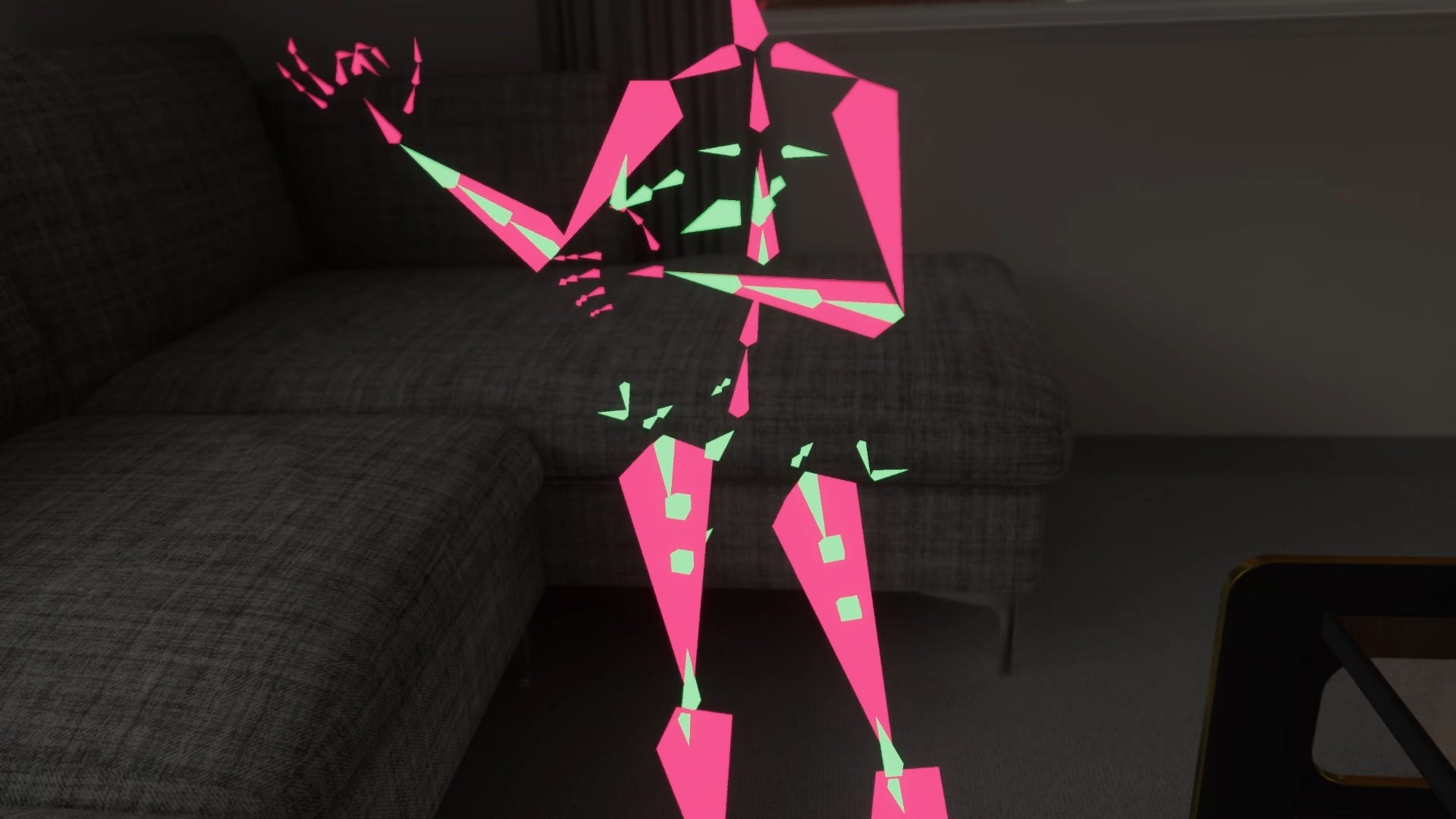
Because the default IK bone is not enough to simulate human body deformation. For example, when you bend your elbow, you may lose volume around your elbow area because you only have two bones, and the mesh may basically shrink on itself in this area unless you have enough support, or when you’re doing a twisting motion using your wrist. In those cases, there is really only one solution, which is to add more bones. And with Unity, you can only have four bones, four bone weights per vertex. That’s something that we have to consider. And the more bones you add, the more complicated your rig gets. And potentially it can impact, now I need to fit clothing, and it can become more difficult to fit because now there’s more bones, more things to consider. You want to find a balance between simple and good. It will never be perfect.
Armani: Would you encourage people to get into rigging and bones for their avatars, especially for beginners? Or would you say that’s only for folks who want to get more realistic detail in avatar movement?
Noppers: I think there’s a lot of low-hanging fruit that people can try out. It’s not too difficult. One caveat is that every time you make changes to bones in Blender and export it to Unity for overwrite, it may break the avatar in your scene. So you have to be very careful about it. There’s a tool called Pumkin, and I always call it “pumpkin”, but I think it’s Pumkin’s Avatar Tools. You can basically copy all the settings and assets from one avatar and transfer to a new FBX, which is the model format. Once you make your bone update, you can transfer essentially your new copy of the avatar based on the new bone structure. That’s generally pretty safe. It’s inherently a little bit more destructive than making minor mesh changes. So I would watch out for that, but definitely give it a try. Adding a physbone is a lot of fun because it can now give your avatar additional sway. You can move your ears around. You can do cheeks, nose movement. You can…there’s the obvious physics. So there’s a lot of play in this area. If you’re not happy with your elbow, you can add twist bones and learn how to do constraints. All of those aren’t too hard. They’re all solvable and they’re mostly straightforward in terms of weight painting. They’re also pretty straightforward. It’s very mechanical. You make sure things go by gradients and loops and slowly blend things together and it’s going to look pretty damn good.
Creative Process and Advice for Avatar Makers


Armani: What inspires you to work on avatars for months at a time? You’ve been working on this one since almost last year, is that right?
Noppers: I think it’s a personal obsession. I’m always looking for avatars that track better. When I see things I don’t like about the avatar, it grows over time. At some point, I can’t really tolerate too much. Or sometimes you have to find peace with it: it’ll never be perfect. But some stuff I know I can improve on, so I will try to find ways around it. Even with this body (Stray), there’s still plenty of things I want to improve on. Possibly testing out better spine movements, viewable positions. Something I might want to experiment on and adjust. Better knee. So I’m still thinking on these things. Better physical movements. Possibly correcting weight painting. Maybe there’s ways of simplifying things. I think that’s quite fascinating. The downside is that the testing lifecycle is quite tedious. So you have to go from Blender to Unity. Puts on VR for testing. And what works for three-point tracking might not work for 11-point tracking. So at 11-point there could be additional spine movements with chest tracker, different things. You might notice different issues. So important part is you have to keep on using all these changes to notice all these details. There’s no test suite as far as I know that checks all these edge cases. It’s about you using the avatar and see how you feel about it over time.
Armani: What would your main advice be to avatar makers about building for full body tracking compatibility?
Noppers: It depends on what they’re trying to shoot for. If they’re doing from scratch, I think finding references would be a good start. Franada’s public avatar is what a lot of people point at when they say, hey, I need a humanoid spine rig. That’s a very common, proven reference. The other part is you got to use the avatar enough and see if there are any issues. Even if you find issues, you need to have a standard methodology because you can fix one part of the avatar and break something else that you don’t notice. Especially when it comes to full body tracking. I can move my viewball, but it’s going to break something else. It’s going to change how my hand looks. If I move my viewball more forward, when I look down, it’s going to pull my neck and spine a little bit more. My body is going to feel like it’s being pushed back a little bit. If I’m making contact with my shoulder here, by moving my viewball forward, my body will be further back. I’ll be making contact maybe with the air. Little things like that will add up. It’s hard to say what’s going to influence the body as soon as you make a critical adjustment like viewball or your height. You have to play with it and you need to find a stable and reliable method of testing for this. Usually you can’t test and immediately you have to get a feel for it. Try it out in VR, definitely.
New Frontiers and What’s Next
Armani: Are there any new frontiers in avatars that you’re excited about?
Noppers: I want to play with the physbone grabbing tech a bit more. I have a working prototype. I didn’t get the chance to add it to my current avatar because there’s things I want to clean up and dig further into. A lot of the work I want to do is workflow related, so making avatar is quite error-prone a lot of times, and you will notice slowdowns over time, right? For example, currently I’m following a pretty unique workflow where everything on the avatar is fully modular.
By modular, it means it’s either using VRCFury or Modular Avatar. When you remove the top-level hierarchy of the object, all the parameters, all the toggles gets removed as well. So that essentially isolates a lot of the feature. That means bugs within the module won’t escape and contaminate the rest of the avatar. Previously, I had everything in one animator, and trying to add or remove things can cause a lot of errors. And that’s one of the issues I ran into. I don’t think any of the current system lets you be fully modular. Even though all these systems are trying to do a non-destructive modular workflow, we still can’t have a 100% modular workflow where everything is in complete isolation. There’s still some contamination depending on what you’re trying to do. So there are limitations. So those would require development time to fix, basically people looking into it, trying to figure out what would work, what wouldn’t work. Those things are the stuff I want to work on more recently. Especially after doing this avatar, there’s a lot of tedious things that crops up I think I can improve on. The other thing is, there’s a lot of errors and time waste that can crop up due to human error. For example, working on this avatar, I can make an import error and that breaks everything and then it wastes hours. Simple, small stuff like that can cause a lot of issues and grief.
Armani: What are you working on now that you’d like people to know about, and how can our audience follow you for more in the future?
Noppers: I’ll be releasing this avatar (Stray) next week (out now!). I’ve been slowly making, recording, doing all the basic marketing related stuff. But I think it’ll be a breath of fresh air once it’s finally out. I wouldn’t have to hyper focus on this avatar. I can start branching out, do some of the things that I think needs to be done. For example, workflow improvements, anything that catches my fascination, more rigging-related tests, because changing rigging in late-stage avatars is quite destructive. It impacts a lot of things because my workflow is completely modular. Changing the body impacts the outfit as well. So it is one of those things where there’s multiple layers of weight painting and multiple attachments and everything plays into each other in a degree. And any changes to a core thing can impact other things. And those create a lot of time-consuming aspects. So being able to hyper focus again on the body or different things is really appreciated.
Armani: Where can people follow you for more announcements?
Noppers: I generally have a Jinxxy store, so you can find me there. I’ll occasionally make posts on X or Bluesky if I have anything interesting to share. That’s mostly it.
Armani: I appreciate your time and your advice. I am really excited to see where you go next with different avatar projects. Thanks again for your time.
Noppers: Thanks for the interview. It was fun.


